




Member

Payment Request
Payment
Receipt
Member Record
Reconciliation
Conversation operations
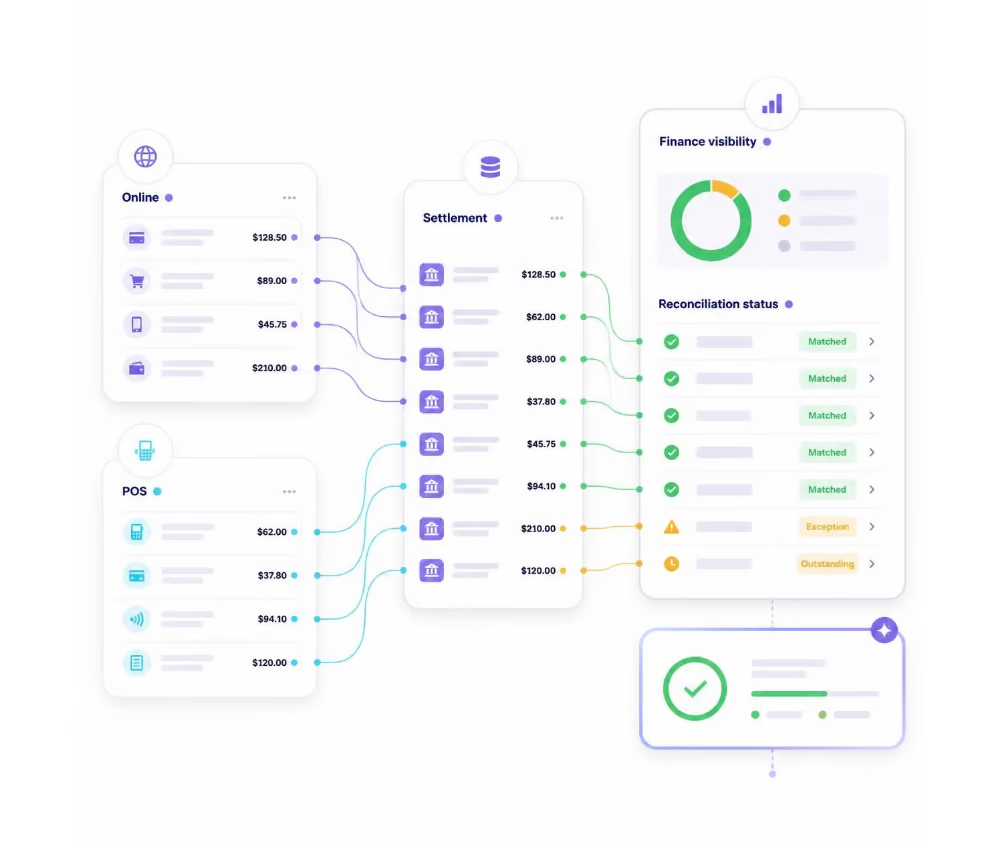
Know where every payment went.
 Online and POS transactions
- Settlement matching
- Exception identification
- Reconciliation status
- Finance visibility
Product Experience
Know where every payment ended up
Key Capabilities


Gateway reconciliation
Match gateway transactionswith the corresponding Membroz payment records.
Bank settlements
Compare settlement activitywith recorded payments and expected amounts.
POS transactions
Bring in-person paymentactivity into the same reconciliation workflow.
Exception handling
Identify unmatched orunexpected transactions that need review.
Reconciliation status
Track matched, pending andexception records through completion.
Related Capabilities
Explore other platform capabilities
Every Membroz module is more powerful when connected to the rest of the platform.


Payment Reconciliation FAQ

What is payment reconciliation?
Can Membroz help reconcile online payments?
Can I identify missing or unmatched transactions?
Can gateway fees and settlement differences be tracked?
Can payment reconciliation reduce manual work?


