




Member

Payment Request
Payment
Receipt
Member Record
Reconciliation
Conversation operations
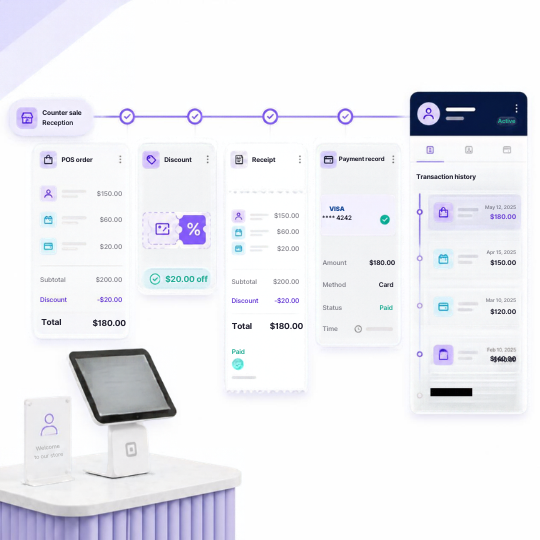
From counter sale to customer record.
 Counter and reception payments
- POS orders and sales
- Coupon and discount handling
- Receipts and payment records
- Customer transaction history
Product Experience
Connect every in-person payment to the customer
Capture payments at the front desk, POS or service counter while keeping purchases, memberships and customer records connected.
Key Capabilities


Front-desk payments
Collect payments formemberships, services and purchases at reception.
Restaurant & outlet payments
Connect dining and outlettransactions to the customer record.
Package sales
Sell prepaid packages andadd credits or entitlements after payment.
Coupons & discounts
Apply approved offers anddiscounts before collecting payment.
Payment status & renewal history
Keep each sale, payment andreceipt connected to customer history.
Related Capabilities
Explore other platform capabilities
Every Membroz module is more powerful when connected to the rest of the platform.


POS Payments FAQ

Can Membroz connect with a point-of-sale system?
Can staff collect payments at a reception desk?
Can POS transactions be associated with member accounts?
Can I accept payments for packages or services at the POS?
Are POS transactions included in payment reporting?


