




Membership Management Software: The Complete Guide



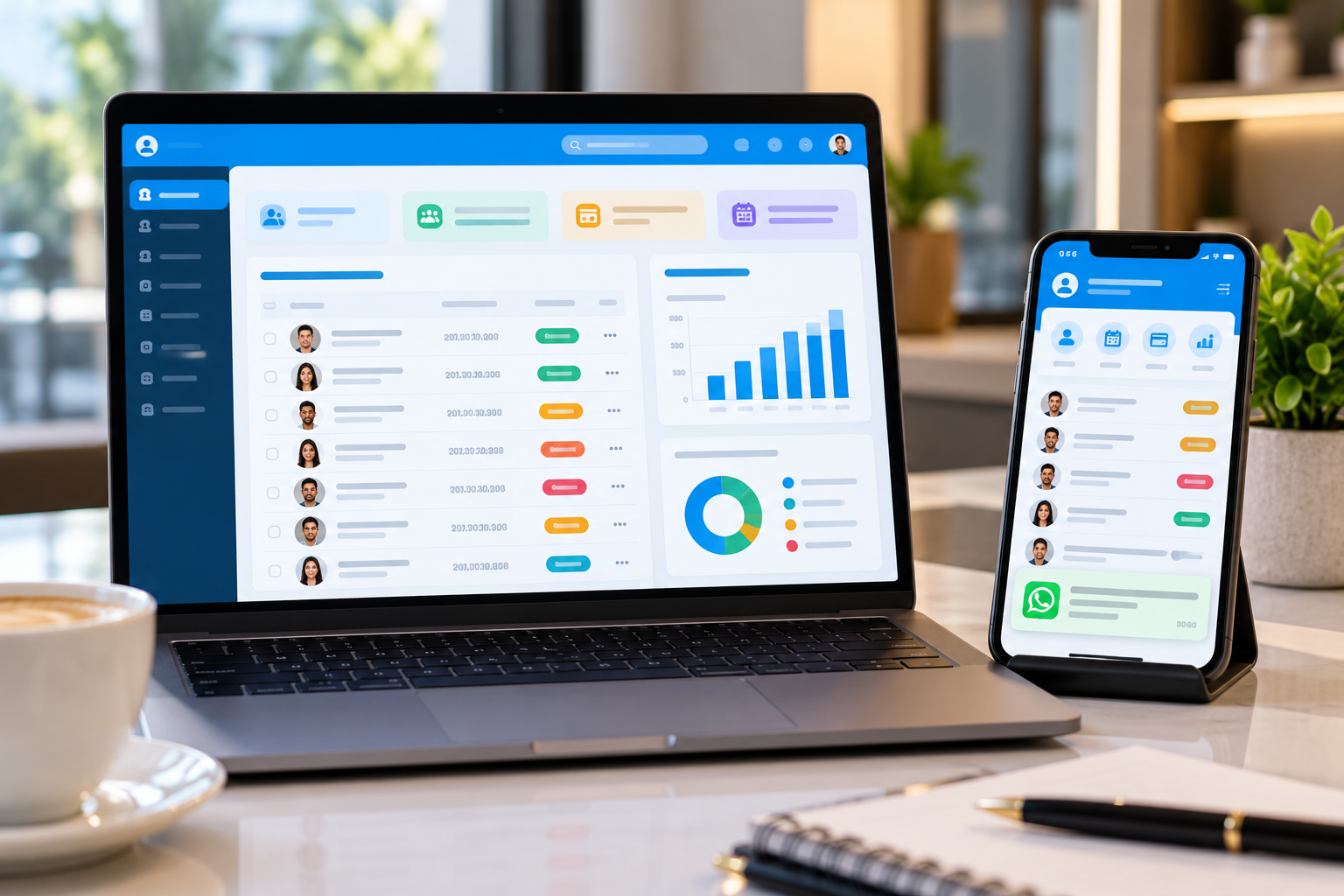
Most membership businesses don't start out looking for software. They start with a spreadsheet, a WhatsApp group and a notebook at the front desk. That works for the first fifty members. Then several things happen in the same week: two renewals slip past their dates, a freeze request gets buried in a chat thread, a payment fails on Friday and nobody notices until Tuesday, and the one person who knows how everything works goes on leave.
That is usually the moment the search begins, and the search term is almost always the same: membership management software.
This guide is written for the owner, general manager or operations head standing at that point. It explains what the software actually does, which features are worth paying for, what drives the price, and how to choose a platform your team will still be using a year from now. We'll also say plainly where a tool like this is overkill.
Quick answer: Membership management software is a single platform that keeps member records, sells and renews membership plans, collects recurring payments, controls facility access and reports on retention. It replaces spreadsheets and disconnected apps, so your team spends less time on admin and more time on the members who keep the business running.
In this guide
- What membership management software is, and what it is not
- The features that matter, and the ones that are nice to have
- The business benefits you can realistically expect
- Which kinds of businesses get the most from it
- How to choose, what it costs and the mistakes to avoid
- A four-week rollout plan
Last updated: October 2026

What is membership management software?
Membership management software is a system that runs the whole life of a member: joining, paying, using your facility, renewing and, sometimes, leaving. Staff work from one shared record per member instead of juggling spreadsheets, chat threads and paper registers.
You will also see it called a membership management system, member management software or club management software. In practice, the names mean the same thing.
It helps to separate it from tools you may already own. A general CRM tracks contacts and sales conversations, but it does not know that a member's plan renews on the 5th or that a family plan covers four people. A booking tool sells slots, but it does not know who is entitled to book which ones. Accounting software records the money after the fact, while membership software decides who owes what, and when to ask for it. The value comes from having those three jobs talk to each other.
What features should membership management software have?
At minimum, look for a central member database, flexible plans and tiers, automated recurring billing and renewals, a self-service portal, messaging by WhatsApp, SMS and email, and clear reporting. Businesses with a physical site should add access control and bookings. Operators with more than one location also need multi-location management.
Here is how the common features break down:
- Member database and profiles (Core): One record per member with plan history, payments, attendance and notes.
- Plans, tiers and renewals (Core): Monthly, annual, seasonal, custom, family and group plans, plus freeze and pause rules.
- Recurring billing (Core): Charges members on schedule, reminds them before renewal and retries failed payments.
- Self-service portal (Core): Lets members join, pay, freeze or update card details without calling the front desk.
- Messaging and reminders (Core): Sends renewal, payment and event messages over WhatsApp, SMS and email.
- Reporting and analytics (Core): Shows active members, renewals due, churn and revenue by plan or location.
- Automation (Core as you grow): Triggers tasks and notifications from events such as a new sign-up or a failed payment.
- Access control (If you have a facility): Checks membership status at the door or gate and logs every entry.
- Bookings and scheduling (If you sell time slots): Handles classes, courts, rooms and appointments against each member's entitlements.
- Multi-location management (If you run more than one site): Reports and manages several sites from one account.
- Loyalty and rewards (Nice to have): Awards points and tier benefits for visits, spend or referrals.
- Branded mobile app (Nice to have): Puts plans, bookings and payments in members' pockets.
If you can only get five things right in year one, make them member records, plans, renewals, reminders and reports. Everything else builds on those five, and software projects tend to stall when one of them is missing.
What are the benefits of membership management software?
The main benefits are fewer missed renewals, faster and more predictable payments, less manual admin, a smoother member experience and decisions based on real numbers instead of gut feel. None of these is magic. Each one comes from a specific job the software does so your team doesn't have to.
Fewer missed renewals
Most lapses aren't dramatic cancellations. Someone forgets the date, the reminder never went out, or paying meant a trip to the front desk. Software sends reminders before expiry on the channel members actually read, lets them renew from a link, and retries a failed card without anyone lifting a finger. We unpack the human side of this in why gym membership renewals are declining; most of the causes are follow-up problems, and follow-up is what automation is good at.
Faster, more predictable cash flow
When billing runs on a schedule and every payment is tied to a member record, you stop chasing dues by phone. Finance can see what was collected, what failed and what is coming next week, without rebuilding the picture from bank statements.
Less admin and fewer mistakes
Every time a person re-types a name, a phone number or a plan, a mistake becomes possible. One shared record means the front desk, the accounts team and the manager are all looking at the same facts. The hours you get back are usually spent on the members themselves.
A better member experience
Members notice small things: a quick scan at the gate, a reminder that arrives on time, a freeze request that is approved the same day, an app that shows their plan and payment history. Those details are rarely why someone joins, but they are often why someone stays.
Decisions based on real numbers
Once your data lives in one place, you can answer questions that used to take a weekend of spreadsheet work. Which plan has the highest cancellation rate in the first 90 days? Which location is growing and which is flat? Which month do renewals dip? Good reporting turns those into a five-minute check.
One caveat worth saying out loud: software can't fix a product members don't value. If people leave because the classes are poor or the facilities are tired, automation will only make cancellations more efficient.
Which businesses benefit most from membership management software?
Any business that charges recurring fees or manages repeat access gets value from it. That includes gyms and fitness chains, country clubs, resorts and hotels with member programs, associations, sports centers, and timeshare or fractional ownership operators. What differs is the headache each one feels first.
- Gyms and fitness chains. Typical headache: renewals, freezes, billing across several branches. Prioritize recurring billing, freeze rules, access control. Go deeper: Gym and fitness solution.
- Clubs and country clubs. Typical headache: tiered dues, guest rules, facility bookings. Prioritize tiers, bookings, point-of-sale. Go deeper: Club membership system benefits for US organizations.
- Resorts and hospitality. Typical headache: member stays, loyalty, linking with the hotel system. Prioritize loyalty, mobile app, property system integration. Go deeper: How to choose resort membership software.
- Associations and communities. Typical headache: annual dues, events, member communication. Prioritize member records, messaging, event handling. Go deeper: Associations solution.
- Timeshare and fractional ownership. Typical headache: long contracts, usage rights, maintenance fees. Prioritize contract tracking, owner communication, payments. Go deeper: How technology is changing timeshares.
There is also a fair answer to "do I need it at all?" If you run a small, single-site group with a handful of members, no recurring billing and very few changes to plans, a well-kept spreadsheet can still do the job. Software starts paying for itself when the number of exceptions grows: freezes, upgrades, family plans, failed payments and more than one person touching the records.
How do you choose the right membership management software?
Start with your own workflow, not the vendor's feature list. Write down how a member joins, pays, renews and leaves today, shortlist three platforms that cover those steps, run the same real scenarios in every demo, then compare total cost and support. The right choice is usually the one your front-desk team can use without a manual.
- Map the member journey first. List every step from inquiry to renewal to exit, and mark the places where things break today. That list becomes your buying brief.
- Split must-haves from nice-to-haves. Use the feature table above. A loyalty program is lovely, but it should never beat reliable renewals on your shortlist.
- Test payments early. Check which gateways work in your country, how recurring charges and retries behave, whether you need multiple currencies, and how receipts and reconciliation are handled. Payment gaps are costly to discover after launch.
- Bring your own awkward cases to the demo. A family plan upgraded mid-month, a freeze that spans a renewal date, a card that fails on a Sunday, a refund. A demo that only shows the happy path tells you very little.
- Ask who does the migration. Find out who imports your existing member data, how long it takes and what happens to payment history.
- Think about both sets of users. Staff need something fast on a phone or desk. Members need something they can use without calling you.
- Check support and room to grow. Look at onboarding help, a help center, API documentation and how the vendor handles requests you haven't thought of yet.
During demos, these eight questions separate serious platforms from polished slides:
- Can I see a failed payment being retried and recorded against the member? Why it matters: shows whether billing and member records are truly connected.
- How does a freeze or pause affect the next renewal date? Why it matters: reveals how flexible the plan rules are.
- Who owns my data, and how do I export it? Why it matters: protects you if you ever switch.
- Which payment gateways and accounting tools do you integrate with? Why it matters: avoids manual double entry.
- How do you handle several locations or branches? Why it matters: matters even if you only have one site today.
- Does access control check live membership status? Why it matters: prevents expired members walking in.
- What does onboarding include, and how long does it take? Why it matters: sets a realistic go-live date.
- What is the total cost for my size, including gateway and messaging fees? Why it matters: exposes costs that headline prices hide.
How much does membership management software cost?
Prices vary widely and depend on your member count, number of locations, the modules you switch on, and how payments and messaging are charged. Most vendors charge a monthly or annual subscription, sometimes plus a setup fee and per-transaction or per-message charges. Always ask for a quote based on your real size rather than a headline price.
- Member or active-member count: Is pricing tiered by members, and what happens when you cross a tier?
- Locations and staff users: Are extra branches or user seats charged separately?
- Modules: Which features are in the base plan and which are add-ons?
- Payment processing: What does the gateway charge per transaction, and is that separate from the software fee?
- Messaging: Are WhatsApp, SMS and email billed per message by the provider?
- Setup and migration: Is data import, configuration and training included or extra?
- Hardware: Do access devices, scanners or point-of-sale equipment cost extra?
- Support: Which support level is included, and what are the response times?
A useful habit is to price the system over 24 months, not one. A cheap plan that needs paid add-ons for billing, messaging and access can end up costing more than a fuller plan that includes them.
What mistakes should you avoid when buying membership software?
Common mistakes include buying on feature count instead of fit, migrating messy data, customizing everything before launch, and leaving staff out of the decision. Most of them are easy to avoid if you spot them early.
- Choosing by feature count. A longer list doesn't mean a better fit. Match features to your member journey.
- Importing messy data. Duplicate members and wrong expiry dates will follow you into the new system. Spend a day cleaning before you import.
- Customizing on day one. Launch with the standard setup, watch how your team uses it for about 60 days, then adjust.
- Skipping staff training. If the front desk doesn't trust the system, they will go back to the notebook. Involve them in the demo.
- Treating payments as an afterthought. Billing is where the money is, so set it up and test it before anything else.
- Launching without goals. Pick three numbers before go-live, such as renewal rate, collection rate and admin hours per week, and review them monthly.
How do you roll out membership management software in four weeks?
For a single site, a workable plan is four weeks: clean your data and define plans in week one, import members and connect payments in week two, pilot with staff in week three, and go live with automation in week four. Multi-site operators should expect to repeat the pilot at each branch.
- Week 1: clean and plan. Remove duplicate members, confirm expiry dates, and write down your plans, tiers, prices and freeze rules exactly as you want them in the system.
- Week 2: import and connect. Import your members, connect your payment gateway and run a small real payment end to end. Prepare three message templates: a welcome, a renewal reminder and a failed-payment notice.
- Week 3: pilot and train. Run one shift of staff and a small group of friendly members on the new system. Re-run the awkward cases from your demo and fix whatever breaks.
- Week 4: go live and automate. Tell members what is changing, switch on automated reminders and recurring billing, and book a review for day 30.
At that 30-day review, look at the three numbers you chose before launch. If renewal rate is up, collection is faster and admin hours are down, the rollout worked.
How does Membroz help with membership management?
Membroz is a connected platform that manages customers, memberships, bookings, messaging, payments and access in one place. It is built for gyms and fitness chains, clubs, resorts, associations, travel agencies, timeshare operators, vacation rentals and sports centers. Here is how it maps to the problems covered in this guide:
- Renewals slip past their dates: Automated renewals with reminders, plus recurring billing with payment retries.
- Plans are hard to manage: Monthly, annual, seasonal and custom plans, tiers, family and group plans, and freeze or pause rules.
- Members keep calling the front desk: A self-service portal and a branded mobile app for iOS and Android.
- Nobody replies fast enough: WhatsApp, SMS and email messaging with automated notifications.
- Expired members get in: Access control that validates membership status and logs each entry against the member.
- Reporting means spreadsheets: Analytics and reporting across members, locations and revenue, with AI-powered insights for churn and renewal trends.
- Repetitive tasks eat the week: Automation that triggers workflows from membership, booking and payment events.
Membroz is trusted by more than 2,000 businesses worldwide. Across its customers, Membroz reports a 34% average increase in member engagement, 60% less time spent on manual operations and 22% higher repeat bookings.
“Memberships, renewals, payments, and daily records all need proper attention. Membroz helps bring these activities together in one place, making gym management more organized and convenient.” — Musharaf Patel, Gym Manager, Onelife Fitness Hub Gym
The best way to judge any platform, ours included, is to test it on your own scenarios. Start a free trial or book a demo and bring your most awkward plan or payment case.
Frequently asked questions about membership management software
What is membership management software?
Membership management software is a platform that manages the full life of a member: sign-up, plan selection, recurring payments, renewals, facility access, communication and reporting. It replaces spreadsheets and separate apps with one shared member record, so staff and members always see the same, up-to-date information.
How is membership management software different from a CRM?
A CRM tracks contacts and sales conversations. Membership management software adds the parts a CRM usually lacks: plans and tiers, billing cycles, renewals, freezes, attendance and access control. Many membership platforms include CRM features, so you rarely need to buy both separately.
How much does membership management software cost?
Cost depends on your member count, number of locations, the modules you use, and payment and messaging fees. Most vendors charge a monthly or annual subscription, sometimes with a setup fee. Ask for a 24-month quote for your real size, including gateway and messaging charges, so you can compare vendors fairly.
Which features are most important in membership management software?
Start with a member database, flexible plans, automated recurring billing and renewals, reminders by WhatsApp, SMS or email, and reporting. Add access control if you have a physical site, bookings if you sell time slots, and multi-location tools if you run several branches.
Can membership management software handle failed payments?
Good platforms retry failed payments automatically, record the result against the member and notify both the member and your team. Ask any vendor to demonstrate this live, because retry rules, reminders and payment-status visibility differ between products.
Is membership management software suitable for small businesses?
Yes, once you have recurring billing or more than one type of plan. A very small group with a handful of members and few changes can manage on a spreadsheet. As freezes, upgrades, family plans and failed payments pile up, software starts saving more time than it costs.
How long does it take to implement membership management software?
A single site can often go live in about four weeks if the data is clean and the plans are clearly defined. Multi-site rollouts take longer because each branch needs its own pilot. Data cleaning and payment setup are the steps that most often cause delays.
Can membership management software control access to my facility?
Yes, if it includes access control. The system checks a member's plan status and access rules at the door or gate, allows or denies entry and logs each visit against the member's record. Check that your existing doors, turnstiles or readers are compatible before you buy.
Can I use membership management software across multiple locations?
Many platforms support several locations in one account, with shared member records, location-level rules and combined reporting. Confirm how billing, staff permissions and reports work across branches, because setups differ widely between vendors.
Can I move my existing member data into a new system?
Yes. Most vendors can import from spreadsheets or CSV files. Clean up duplicates and confirm expiry dates first, then ask who runs the import, how long it takes and whether payment history comes across.
Related reading
If you want to see how membership software applies to a specific market or business type, these guides go deeper:
- Resorts, hotels and loyalty: Resort membership software in South Africa, hotel loyalty program software in Kenya and the future of hotel membership management in Nigeria.
- Clubs by country: Club membership management in Egypt, the future of club membership systems in Nigeria and the best membership management software in Morocco.
- Australia: Membership management software in Australia and in Sydney.
- India: membership management software in Indore, Jaipur, Surat, Lucknow, Kochi, Chandigarh, Nagpur, Vadodara, Bhubaneswar and Visakhapatnam.
- Timeshare and travel: How timeshare and vacation ownership software helps you acquire and engage customers, 5 ways to grow your timeshare business and why travel agencies need tour and travel management software.
Conclusion
Membership management software won't make people love your club or gym. What it does is take the forgettable, error-prone work off your team's plate, so the time goes to the things members actually notice. Start with your own member journey, get renewals and payments right first, test every platform on your messiest cases, and roll out in small steps.
Do that, and the question stops being "which software has the most features?" and becomes "which one will my team still be happy to open every morning?" That is the one worth buying.
Timeshare Management Software in Sydney
The vacation ownership and hospitality industry in Sydney is rapidly evolving. With increasing competition,changing customer expectations, and the need for seamless digital experiences, timeshare operators require advanced technology solutions to manage their properties efficiently. This is where Timeshare Management Software in Sydney becomes an essential tool for resorts, holiday clubs, and vacation ownership businesses.
Managing multiple property owners, reservations, payments, maintenance schedules, and customer relationships manually can be time-consuming and error-prone. A dedicated timeshare management system helps businesses automate operations, improve member satisfaction, and maximize revenue opportunities.
What Is Timeshare Management Software?
Timeshare Management Software is a specialized platform designed to help vacation ownership companies manage shared properties, memberships, bookings, payments, and customer interactions from a centralized system.
Unlike traditional property management systems, timeshare software is specifically created for businesses where multiple owners share rights to use vacation properties during specific periods.
A modern timeshare management solution typically includes:
- Owner and member management
- Reservation and availability management
- Online booking portals
- Automated billing systems
- CRM tools
- Reports and analytics
- Communication automation
- Document management


